For hotels and resorts: bookings on WhatsApp, Instagram and Messenger, with 0% commission See how

English বাংলা
Use cases / Team management & response times

Know what is waiting, and who has it

When replies are slow, you usually find out from an unhappy customer. Here you see what is waiting, who has it, and how long a first reply takes.

Team management & response times

What a manager cannot see today

  • You cannot see what is waiting.Until a customer complains.

    With ConversaAI: The dashboard shows how many conversations are open, and how many nobody has taken.

  • Nobody owns a conversation.So everyone assumes someone else replied.

    With ConversaAI: Give it to a teammate, and it carries their name until it is closed.

  • Slow replies are noticed by the customer first.You have no number to manage by.

    With ConversaAI: The average time to a first reply is on the dashboard.

  • Everyone sees everything.Including what they should not.

    With ConversaAI: You choose each role’s permissions, and an agent sees only the conversations assigned to them.

  • A dashboard of what is waiting

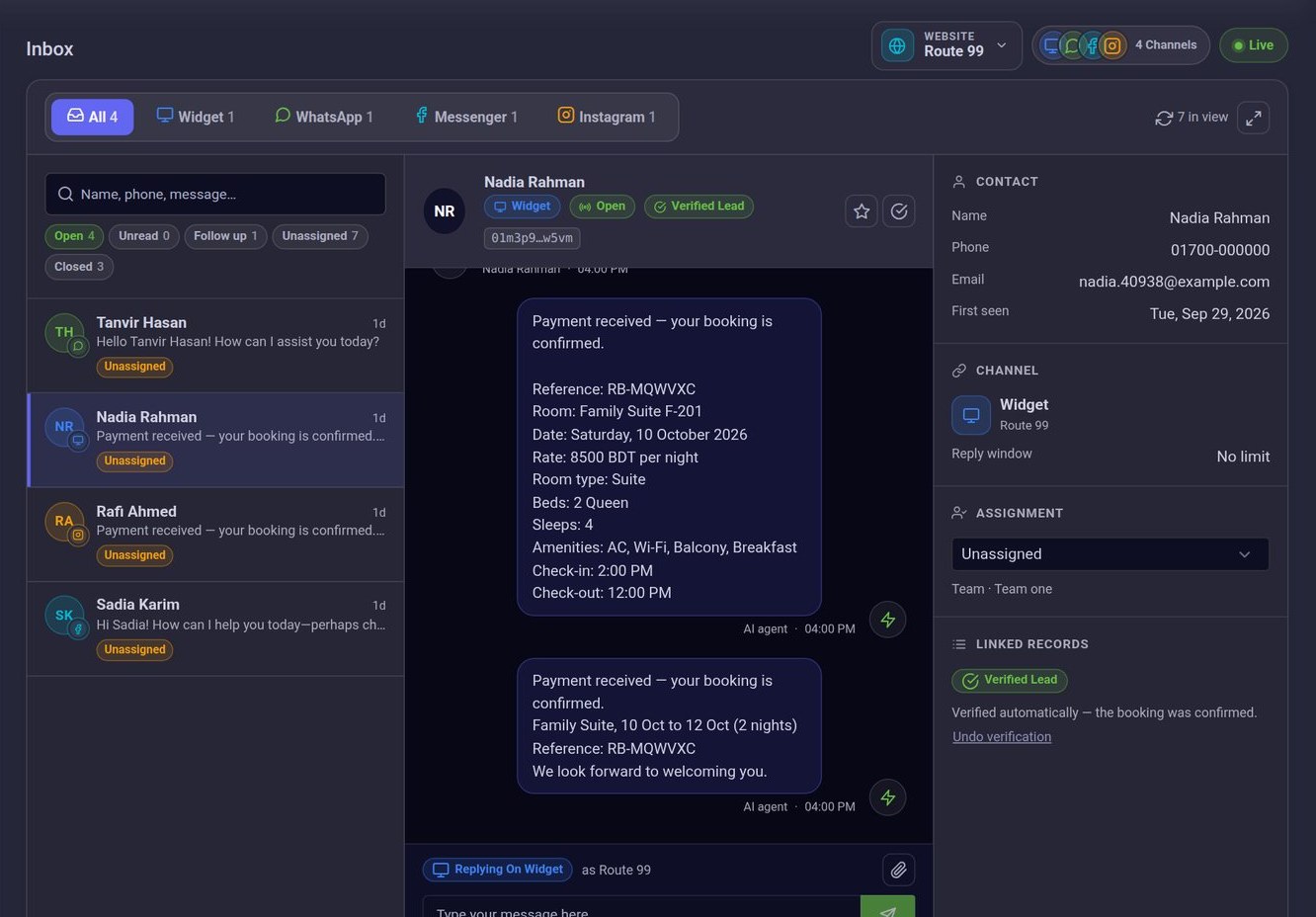
    Open conversations, unassigned conversations, the average time to a first reply, and new and verified leads.

  • Assign and reassign

    Give a conversation to a teammate, or put it back in the queue for someone else.

  • A team for each website

    New conversations for a website or branch go to the team you set for it.

  • Roles you define

    Make your own roles, and choose which screens and which channels each one has.

  • Filters for what needs attention

    Unread, unassigned, waiting for a reply, and flagged for follow-up.

  • Alerts when a person is needed

    A notification in the dashboard for everyone, and an email to the address you chose.

See your team’s day on one screenIn a demo we walk through the dashboard, assignment and roles as a manager would use them.

Book a demo

What is included

  • Open and unassigned conversations, counted
  • Average time to a first reply
  • Assignment to a teammate
  • A team for each website
  • Your own roles and permissions
  • Follow-up flag

Questions

No. An agent sees the conversations assigned to them, on the channels they have permission for. Managers see all of them.

The dashboard shows what is waiting and how fast first replies are. A breakdown by channel is in the monthly report that hotels receive.

See it on a business like yours

Book a demo and we will show you, with your own questions.